
 Star
Star Documentation
Settings
Your organization's control room — rename it, manage billing and usage, invite members, bring your own language models, and handle destructive actions.
Settings is your organization’s control room. A left sub-nav jumps between each area — Organization, Billing & plan, Members, Projects, Models, and the Danger zone.
Organization
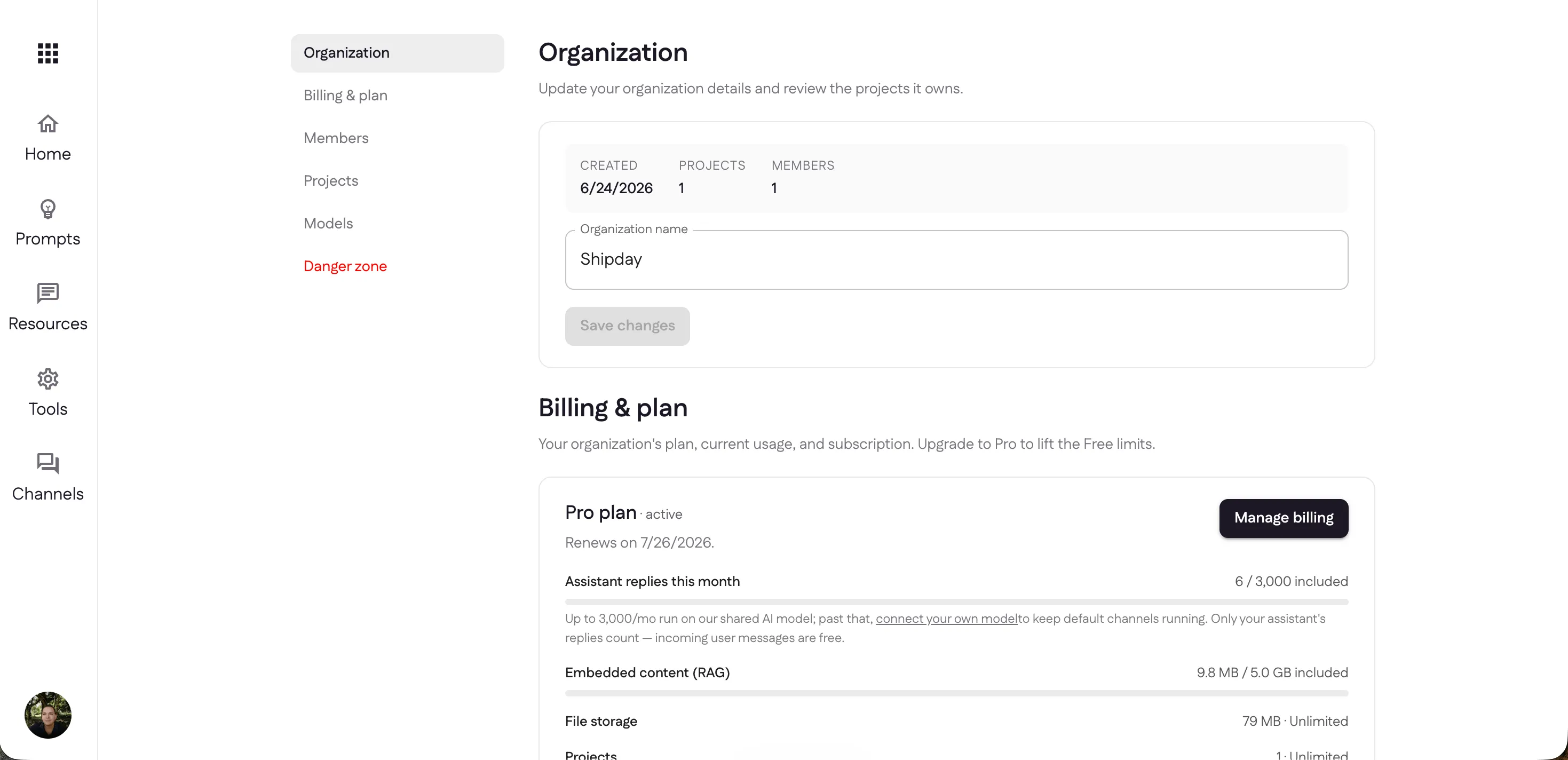
The Organization section shows when it was created, how many projects and members it has, and lets you rename it.
Confirm sensitive actions
Off by default. Turn it on and the assistant asks the person before any action that reaches someone else or can’t be undone, and runs it only on a yes. It applies to every project in the organization.
- In channels (Telegram, WhatsApp, Slack, Discord), the bot holds the call and asks in the chat. Under its question it lists exactly what a yes will run — the tool and each argument — written by the platform, not the model. Only the person who was asked can answer. A yes within 30 minutes runs those stored calls; anything else, including “yes, but change the time”, drops them. Telegram private chats, Discord and WhatsApp offer Yes / No buttons; elsewhere the answer is typed.
- In MCP clients (Claude, Cursor, ChatGPT), the first call comes back not run yet with a one-time token. The assistant asks in its own chat and, on a yes, calls again with the token. It only works for those exact arguments, once, within 10 minutes.
What counts as sensitive comes from each tool’s
MCP annotations:
anything not marked read-only (readOnlyHint: true) or safe to undo
(destructiveHint: false) is confirmed.
- Built-in tools are already marked. Searching, listing and reading run straight away. Sending or forwarding email, posting to Slack, creating, changing or deleting calendar events and bookings, and deleting mail or drafts are confirmed.
- HTTP endpoints: choose What it does in
the endpoint dialog. Left unset, a
GETcounts as a read and any other method is confirmed. - Functions: choose What it does in the
function dialog, or declare
annotationsinganju.json. The order desk example shows one tool of each kind. - Connected MCP servers use the annotations the remote server declares.
A tool that declares nothing is treated as one that may change things, so it’s
confirmed on every call, lookups included. ganju build warns about it.
What it doesn’t do: an MCP client’s assistant is told to ask, but the server never sees the person’s words — only the second call. It stops a sensitive action from happening in one step, not an assistant set on skipping the question.
Billing & plan
Billing & plan shows your current plan, its renewal date, and your usage
against each allowance. Manage billing opens the billing portal; on the
Free plan you’ll see Upgrade to Pro instead. The screenshot below shows a Pro
organization — Pro plan · active, with assistant replies tracked against the
3,000 included.
Compare plans
| Free | Pro | Enterprise | |
|---|---|---|---|
| Price | $0 | $29 / mo | Custom |
| Assistant replies included | 100 / mo | 3,000 / mo | Unlimited |
| Past the included replies | Assistant pauses — upgrade to continue | Keeps going — billed as overage | Custom terms |
| Embedded content (RAG) | 5 MB | 1 GB | Unlimited |
| File storage | 30 MB | Unlimited | Unlimited |
| Projects | 1 | Unlimited | Unlimited |
| Prompts per assistant | 3 | Unlimited | Unlimited |
| Tools per assistant | 7 | Unlimited | Unlimited |
| Channels per assistant | 1 | Unlimited | Unlimited |
| Invite team members | — | ✓ | ✓ |
| Bring your own model | — | ✓ | ✓ |
Enterprise is a custom plan for larger organizations — everything in Pro with no limits on projects, tools, prompts or channels, a custom web address and tools, and a named contact for support. Pricing, allowances and contract terms are arranged directly — contact sales.
How the message allowance really works
The one number to understand is assistant replies. Only your assistant’s replies count — incoming user messages are always free.
Every plan includes an allowance of replies that run on Ganju’s shared model. Because Ganju pays for that inference, the shared model is an allowance, not unlimited:
- Free — 100 replies a month on the shared model. When you hit the cap the assistant pauses until the next cycle, or you upgrade. Free can’t bring its own model key.
- Pro — 3,000 replies a month included, of which up to 1,000 may run on the shared model. Past those 1,000, shared replies keep working and bill at the higher shared rate below. Adding your own provider key in Models moves them to the much cheaper own-key rate, which is what most people do once they’re sending real volume.
Overage (Pro)
Pro adds nothing to your bill until you go past the included amounts:
- Extra replies on your own model key — $2 per 1,000. This is a platform fee for running the tools and compute of each turn — not a resale of model tokens (you pay your provider directly via your key).
- Extra replies on Ganju’s model — $15 per 1,000 beyond the first 1,000. Higher because Ganju is buying the inference for you, so this rate covers a real cost rather than just the platform work.
- Extra embedded content (RAG) — $2 per GB beyond the included 1 GB. Searchable content is stored with a search index several times its own size, which is why this costs more per GB than plain file storage (which is free).
- Extra calls to tools you wrote — $5 per million beyond the included 1,000,000. Only your own code counts here; calls to the integrations Ganju ships, and to remote MCP servers you connect, are bundled.
- Custom domain — $15 / mo add-on.
Want more for free? Ganju is Apache-2.0 — you can self-host and run on your own keys without these caps.
Members & projects
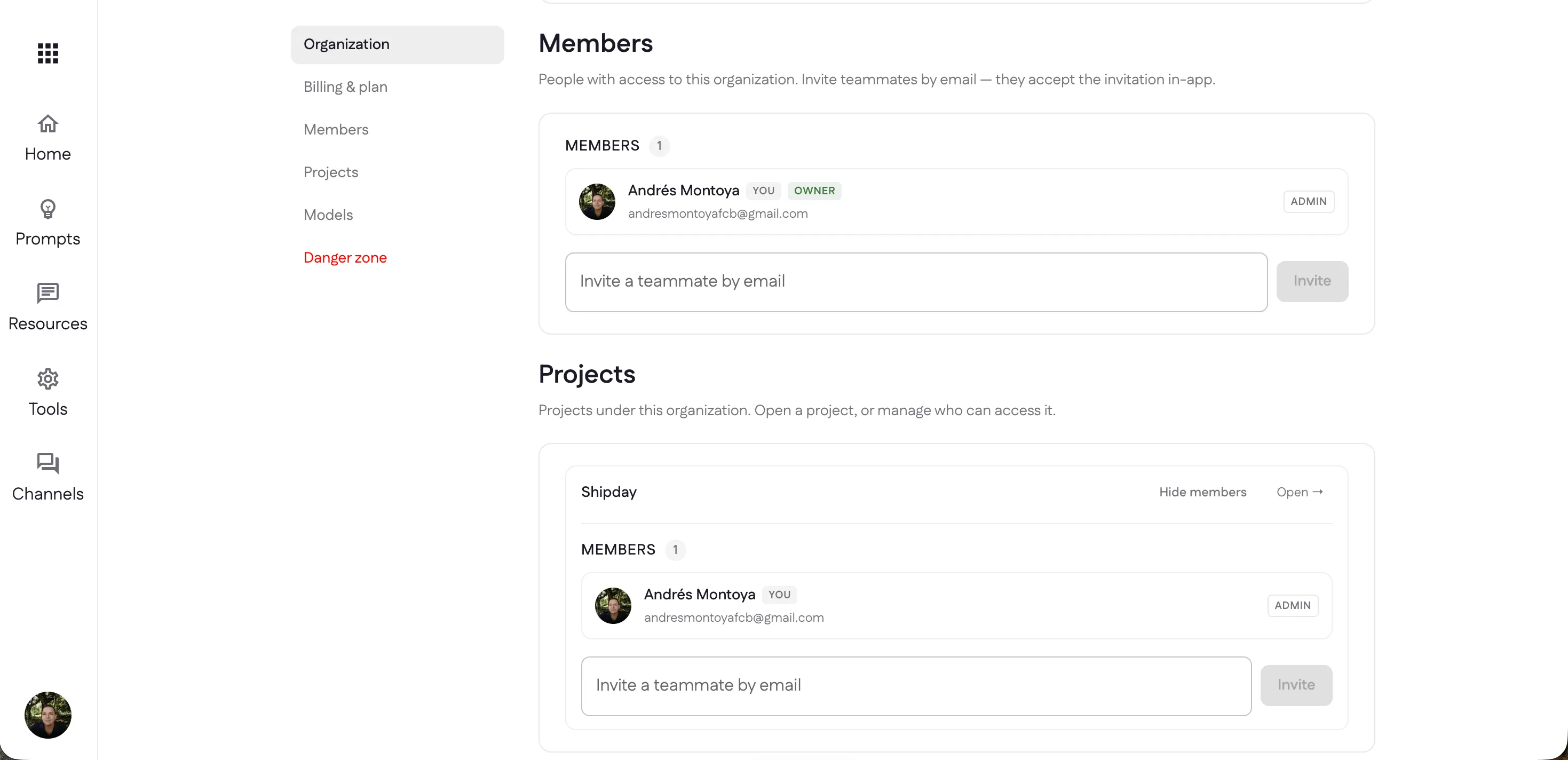
Invite teammates to the organization by email — they accept the invitation in-app — and each member has a role (the creator is the Owner; others are Admins). Below, Projects lists every project under the organization; each has its own member list, so you can control exactly who can access which project.
Models — bring your own
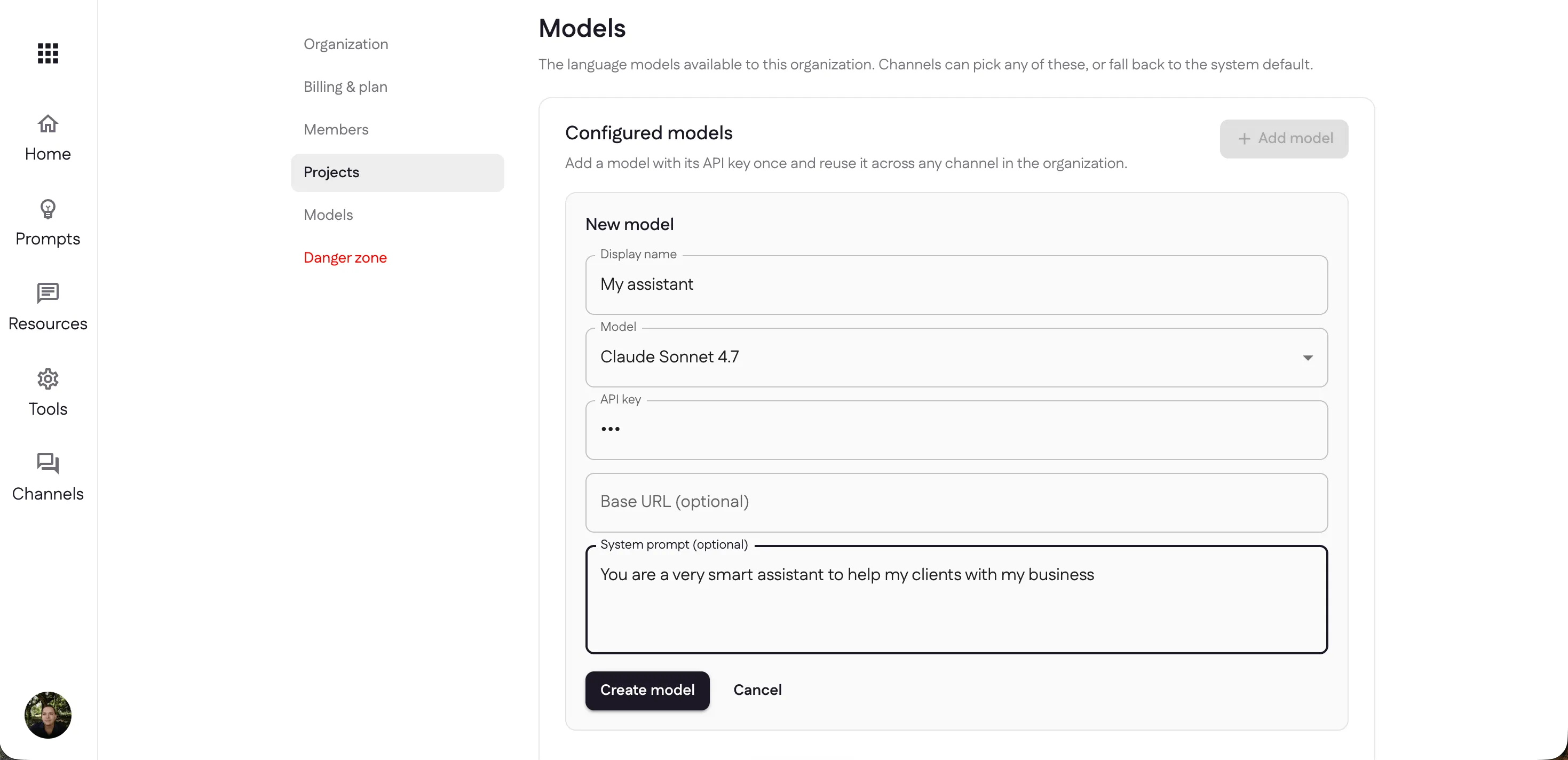
By default your channels use the system default model, but under Models you can bring your own. Select Add model, then fill in:
- Display name — a label to recognize it by (e.g. “My assistant”).
- Model — pick from the catalog: Anthropic (Claude), OpenAI (GPT), or Google (Gemini) models.
- API key — your own key for that provider; it’s stored securely.
- Base URL (optional) — point at a compatible or proxied endpoint.
- System prompt (optional) — a persistent instruction that shapes how this model behaves.
Add a model once and reuse it across any channel in the organization — each channel can pick one of your configured models or fall back to the system default.
Danger zone
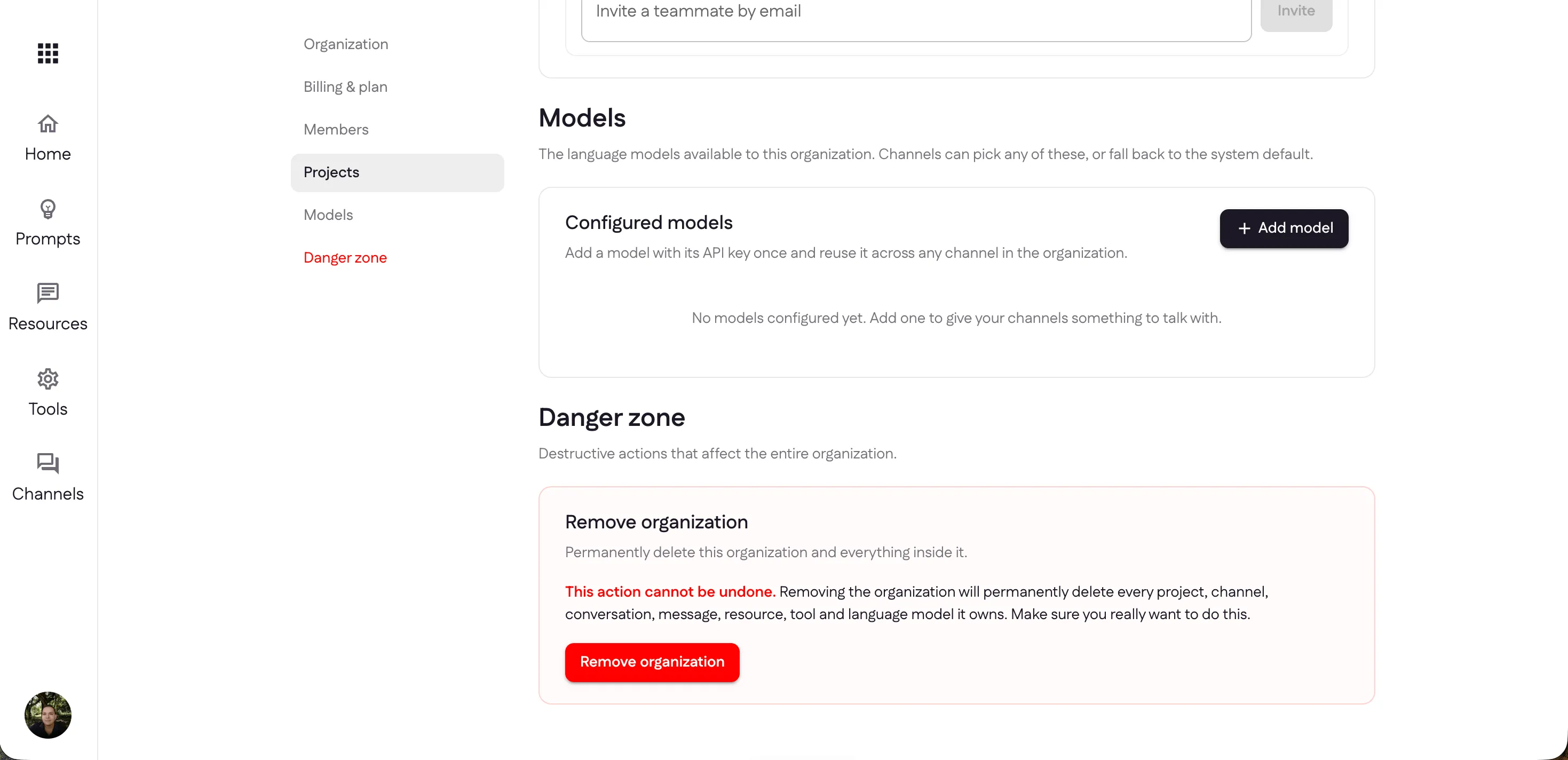
The Danger zone holds destructive, organization-wide actions. Remove organization permanently deletes the organization and everything inside it — every project, channel, conversation, message, resource, tool, and model. It can’t be undone, so it asks you to confirm. Only the Owner can remove the organization.
Last updated