 Star
Star Documentation
Slack
Connect a Slack app — add the required bot scopes, install to your workspace, paste the bot token and signing secret, then set the Request URL.
Slack connects through a Slack app you create once. You’ll add a few bot scopes, install the app to grab its Bot User OAuth Token and Signing secret, paste both into Ganju, then set Ganju’s Request URL as the app’s event endpoint.
1. Create a Slack app
- Go to api.slack.com/apps and select Create New App → From scratch. Name it and pick your workspace.
2. Add bot token scopes
Under OAuth & Permissions → Bot Token Scopes, add the required scopes:
app_mentions:readim:historychat:writefiles:write
Optionally add the recommended scopes so the bot shows names instead of raw
IDs: users:read, channels:read, groups:read.
3. Install and copy credentials
- Still under OAuth & Permissions, select Install to Workspace and
approve. Copy the Bot User OAuth Token (starts with
xoxb-). - Under Basic Information → App Credentials, copy the Signing secret.
- Open App Home and enable the Messages tab so users can DM the bot.
4. Connect it in Ganju
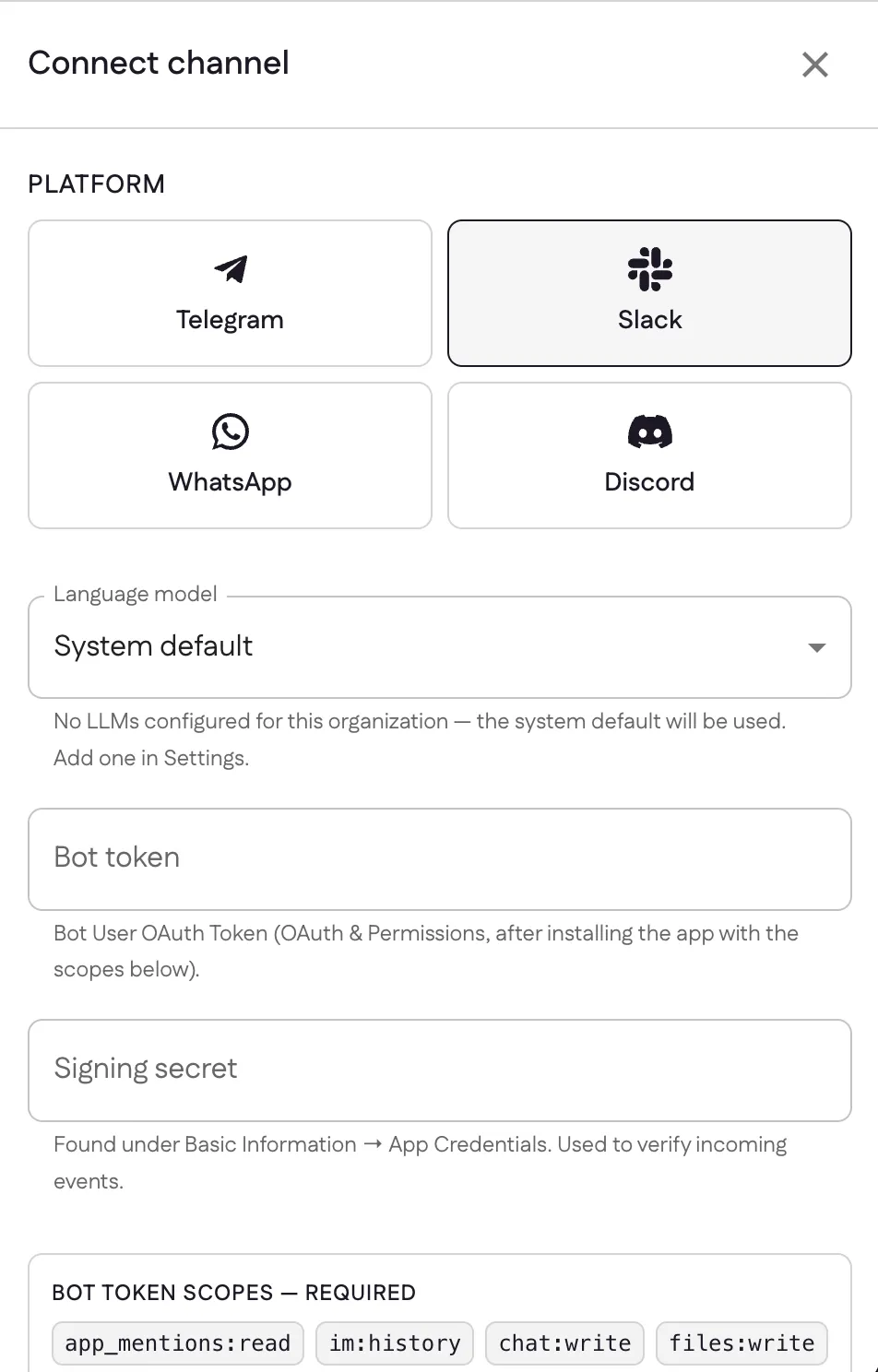
In Channels → Add channel, pick Slack, choose a language model, and paste the Bot token and Signing secret, then select Connect.
5. Set the Request URL
After connecting, Ganju gives you a Request URL. Back in your Slack app:
- Go to Event Subscriptions and toggle Enable Events on.
- Paste Ganju’s Request URL — Slack verifies it instantly.
- Under Subscribe to bot events, add
app_mentionandmessage.im, then save.
The same Request URL also works for any Slash Commands you add later. Once events are subscribed, @mention the bot in a channel or DM it and it replies.
Sources: Creating an app from app settings (Slack), Installing with OAuth (Slack)
Last updated