 Star
Star Documentation
Tools
Give your AI the ability to take action — built-in resource helpers plus integrations like Gmail, Outlook, Slack, Calendar, Cal.com, web search, and your own APIs.
Tools are the actions your assistant can take on your behalf. Where resources let it read your knowledge, tools let it do things — send an email, post to Slack, book a meeting, search the live web, or call your own API. Every project ships with a set of built-in tools, and you add more from the catalog whenever you need them.
Why use tools
- Go from answering to acting. Your AI doesn’t just reply — it books the meeting, sends the follow-up, and files the ticket.
- Connect once, reuse everywhere. Authorize an integration a single time and every enabled tool works across all your linked channels and MCP clients.
- Enable only what you need. Turn tools on one by one, so the assistant can do exactly what you allow — and nothing more.
- Bring your own API. Add a custom HTTP endpoint or connect a vendor’s remote MCP server to expose services we don’t ship out of the box.
How a tool works
Under the hood, your project is an MCP server — and a tool is just a function that server exposes to any connected AI. The flow is always the same:
- You enable a tool. It’s added to your assistant’s toolset and described to the model — its name, what it does, and the inputs it expects.
- You connect the integration once. Tools that touch an outside account (Gmail, Slack, Calendar…) need access. You authorize the integration a single time — with OAuth or an API key — and Ganju stores the credential securely and refreshes it automatically. Built-in tools need no connection.
- The model decides to call it. When someone makes a request in a channel or client, the model reads the available tools and, if one fits, calls it with the right arguments — no code from you.
- Ganju runs it and returns the result. The call runs with your stored credentials, scoped to only the permissions that tool needs, and the result flows back to the model to finish the reply or complete the action. Every call is recorded toward your usage.
Default tools
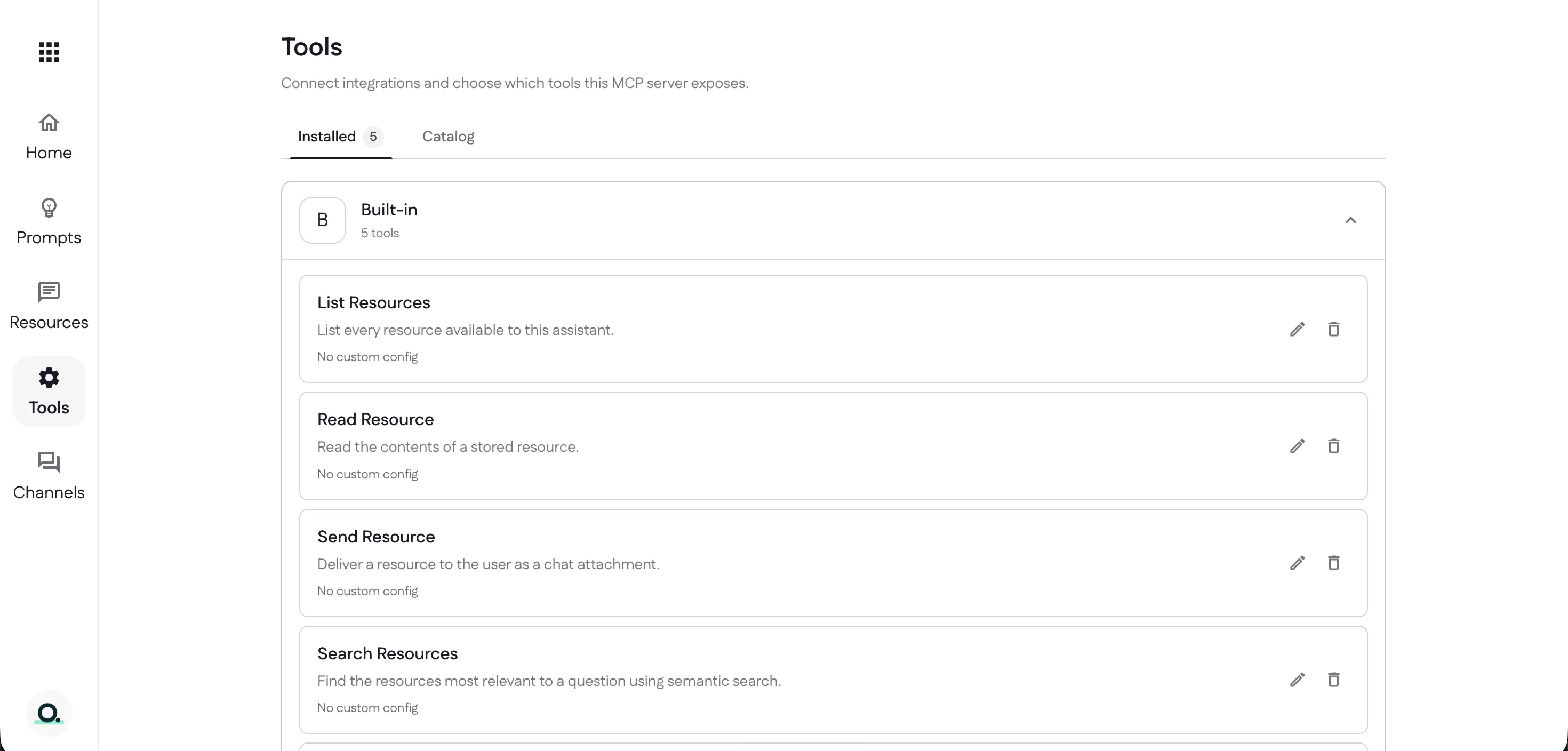
Every project starts with five built-in tools already installed, so your assistant can work with your resources and prompts from day one — no connection required:
- List Resources — list every resource available to this assistant.
- Read Resource — read the contents of a stored resource.
- Send Resource — deliver a resource to the user as a chat attachment.
- Search Resources — find the resources most relevant to a question using semantic search.
- List Prompts — list the prompts and commands this assistant exposes, and how to run them on the current channel.
Browse the catalog
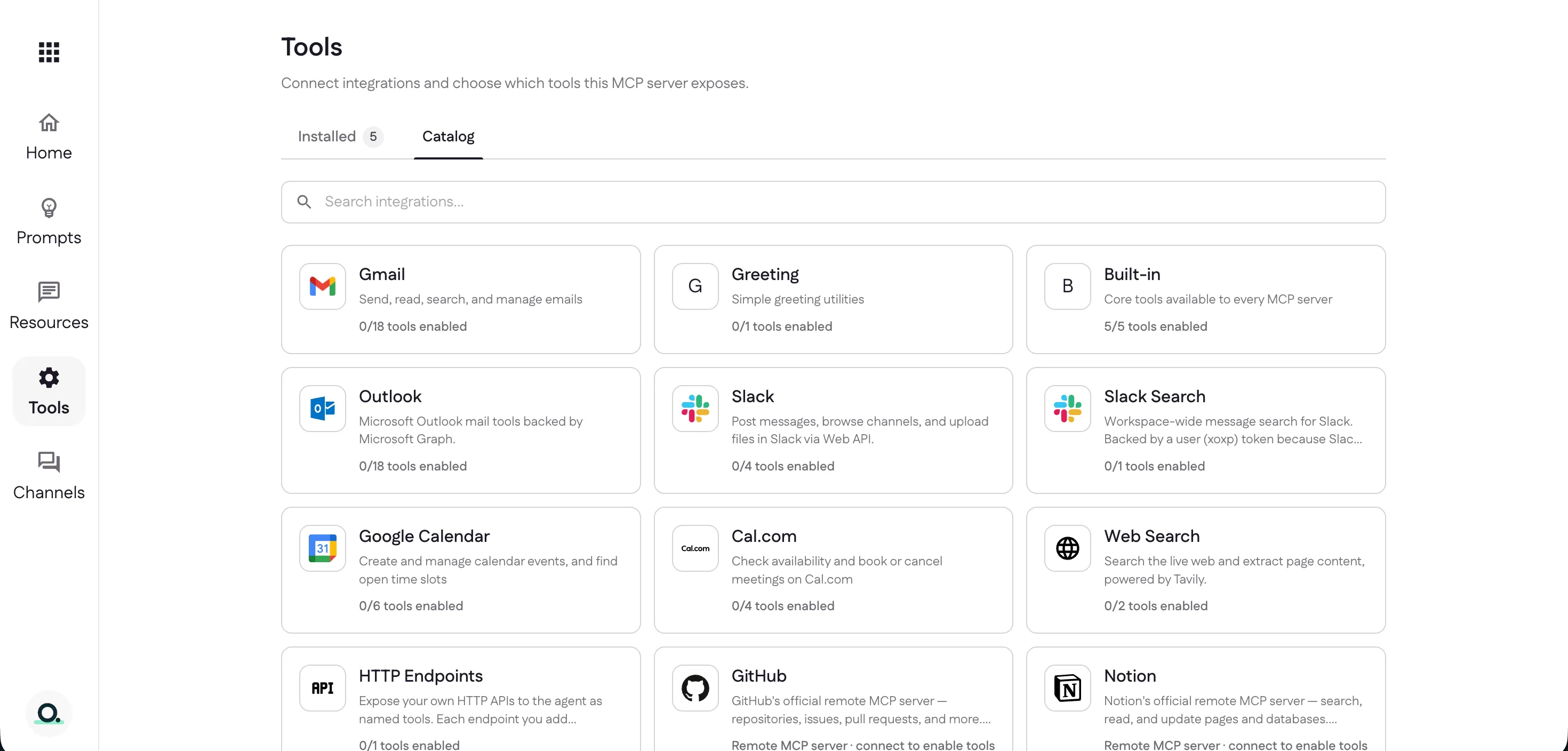
The Catalog lists every integration you can add — email, chat, calendars, web search, remote MCP servers, and your own HTTP endpoints. Each card shows how many of its tools you’ve enabled.
Available tools
Each integration has its own page covering what it does, how to connect it, and every tool it offers:
- Built-in — the five core resource and prompt tools every project ships with.
- Gmail — send, read, search, and manage email (18 tools).
- Outlook — Microsoft 365 mail via Graph (18 tools).
- Slack — post messages, browse channels, and upload files.
- Slack Search — workspace-wide message search (separate user-token connection).
- Google Calendar — create and manage events and find open time slots.
- Cal.com — check availability and book or cancel meetings.
- Web Search — search the live web and extract page content, powered by Tavily.
- GitHub — connect GitHub’s official remote MCP server for repos, issues, and pull requests.
- Notion — connect Notion’s official remote MCP server to search and update pages and databases.
- HTTP Endpoints — expose your own APIs as named tools.
- Greeting — a tiny demo tool for testing a new server.
Next: decide where people use your assistant — set up channels.
Last updated